This article describes how to translate your website using the Bing Translator Widget.
Introduction
This article describes how to translate your website using the Bing Translator Widget.
Description
The Translator web page widget allows you to bring real-time, in-place translation to your web site.
You just need to copy and paste some JavaScript code or API to your website.
Open the following link:
http://www.bing.com/widget/translator
Copy the code.
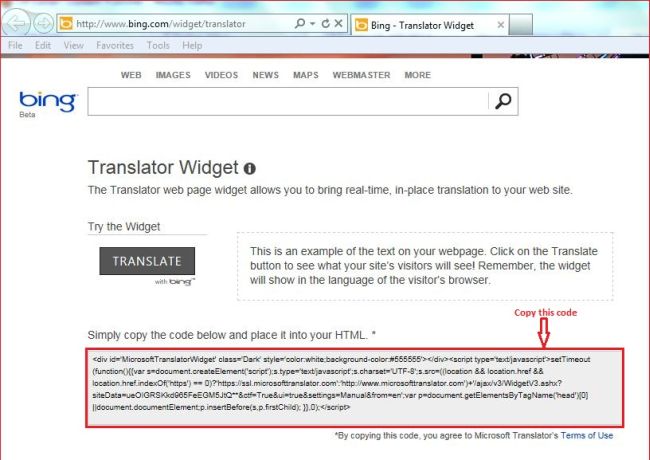
Or copy the following code that I copied from that link and paste it into your HTML.
<div id='MicrosoftTranslatorWidget' class='Dark' style='color: white; background-color: #555555'>
</div>
<script type='text/javascript'>
setTimeout(function () { { var s = document.createElement('script'); s.type = 'text/javascript'; s.charset = 'UTF-8';
s.src = ((location && location.href && location.href.indexOf('https') == 0) ? 'https://ssl.microsofttranslator.com' : 'http://www.microsofttranslator.com') + '/ajax/v3/WidgetV3.ashx?siteData=ueOIGRSKkd965FeEGM5JtQ**&ctf=True&ui=true&settings=Manual&from=en'; var p = document.getElementsByTagName('head')[0] || document.documentElement; p.insertBefore(s, p.firstChild);
}
}, 0);
</script>
Sample to check
Now create a website and a page and add some content to it.
Now design your screen as in the following screen.
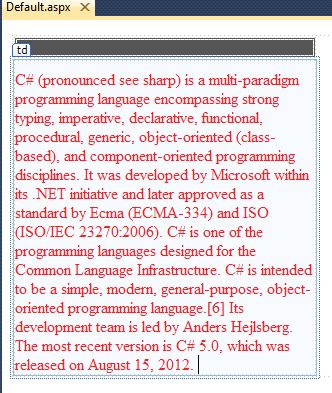
Or you can copy the following source code:
<form id="form1" runat="server">
<div>
<table>
<tr>
<td>
<div id='MicrosoftTranslatorWidget' class='Dark' style='color: white; background-color: #555555'>
</div>
<script type='text/javascript'>
setTimeout(function () { { var s = document.createElement('script'); s.type = 'text/javascript'; s.charset = 'UTF-8';
s.src = ((location && location.href && location.href.indexOf('https') == 0) ? 'https://ssl.microsofttranslator.com' : 'http://www.microsofttranslator.com') + '/ajax/v3/WidgetV3.ashx?siteData=ueOIGRSKkd965FeEGM5JtQ**&ctf=True&ui=true&settings=Manual&from=en'; var p = document.getElementsByTagName('head')[0] || document.documentElement; p.insertBefore(s, p.firstChild);
}
}, 0);
</script>
</td>
</tr>
<tr>
<td style="width: 300px; color:Red; padding-top:10px;">
C# (pronounced see sharp) is a multi-paradigm programming language encompassing
strong typing, imperative, declarative, functional, procedural, generic, object-oriented
(class-based), and component-oriented programming disciplines. It was developed
by Microsoft within its .NET initiative and later approved as a standard by Ecma
(ECMA-334) and ISO (ISO/IEC 23270:2006). C# is one of the programming languages
designed for the Common Language Infrastructure. C# is intended to be a simple,
modern, general-purpose, object-oriented programming language.[6] Its development
team is led by Anders Hejlsberg. The most recent version is C# 5.0, which was released
on August 15, 2012.
</td>
</tr>
</table>
</div>
</form>
Now build your application.
And click on the "Translate" button.
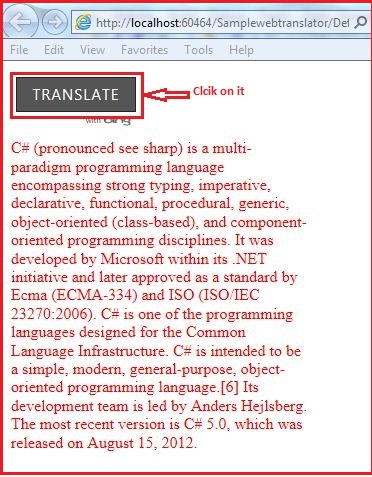
It will open a panel with all languages and select the language from the list to translate.
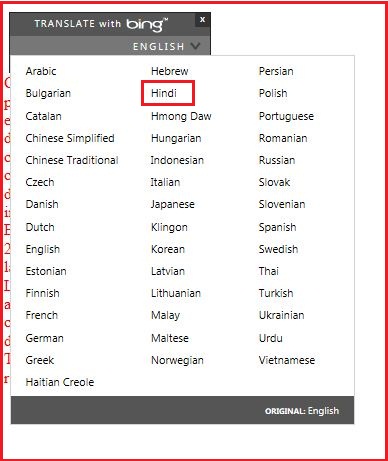
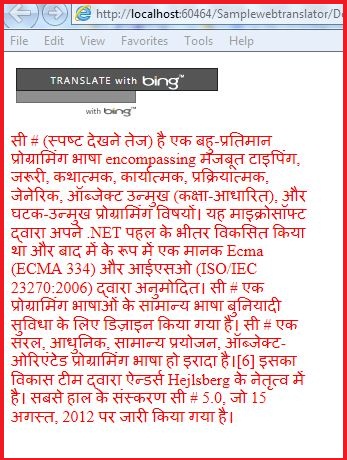
Here I selected Hindi. So my webpage content will be translated to Hindi.
Thank you.