In this article we are going to look into a free and useful .NET PowerPoint component.
Background
We develop applications for education organizations and in one project PowerPoint files could not be edited or reviewed
by others and found a PowerPoint library. The
description of the library says it is free and it can protect the PowerPoint
files with password in C#.Results turn out to be great and it is quite easy to use.
Introduction
Free Spire.Presentation is a PowerPoint library designed for .NET developers to operate PowerPoint documents from .NET Platform and it is standalone and not need to install Microsoft PowerPoint on the machine.
How to get it:
First download and
install it correctly on your machine. The Spire.Presentation installation is
clean, professional and wrapped up in a MSI installer. It does not take much
space (only 58 MB) for installation.
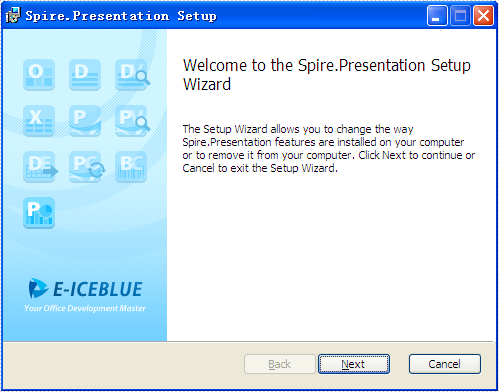
The MSI option provides a full experience, including:
- Installs
the assemblies (multiple assemblies to support different versions of the
.NET Framework)
- Installs
the demo projects with source code
- Installs
the documentation locally on the developer’s machine
- Adds
the assembly to the Add Reference dialog box in Visual Studio
After the installation,
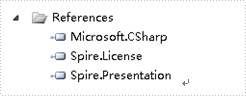
developers need to add
Spire.Presentation.dll manually as reference in the Bin folder though the below path:
“…\Spire.Presentation\Bin\NET4.0\Spire. Presentation.dll”.
Using the Code
Add this line of code on the top to start to use
the Spire.Presentation.
using Spire.Presentation;
First you need to create a new presentation
document and load from file
Presentation presentation = new Presentation();

presentation.LoadFromFile("sample.pptx");
It
only needs one single line of code to protect your document.
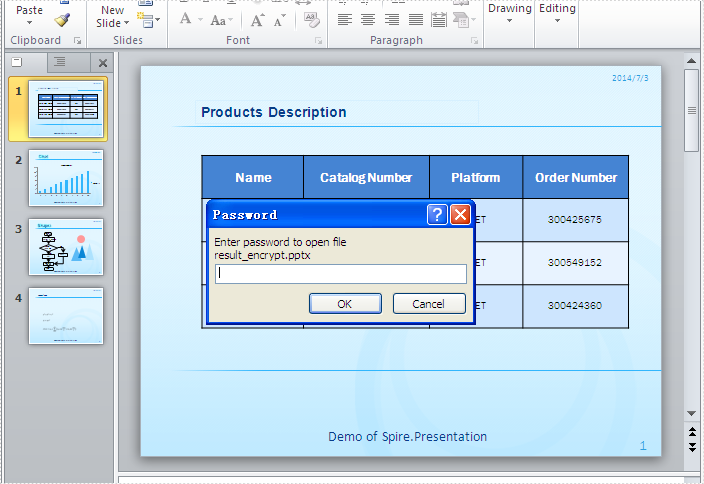
Encrypt
the document:
presentation.Encrypt("test");Set
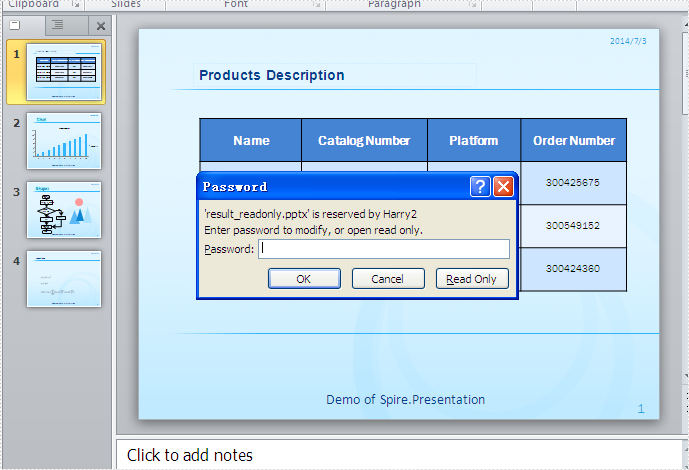
the document to be read only:
presentation.Protect("test");At last, just save the document.
presentation.SaveToFile("result.pptx", FileFormat.Pptx2007);Check the result here:
Encrypt the file:
Read Only:
Full codes:
namespace Protect_PowerPoint
{
    class Program
    {
        static void Main(string[] args)
        {
            Presentation presentation = new Presentation();
            presentation.LoadFromFile("sample.pptx");
            presentation.Encrypt("test");
            presentation.SaveToFile("encrypt.pptx", FileFormat.Pptx2007);

            presentation = new Presentation();
            presentation.LoadFromFile("sample.pptx");
            presentation.Protect("test");
            presentation.SaveToFile("readonly.pptx", FileFormat.Pptx2007);

        }
    }
}
Supported
File Formats
Spire.Presentation supports different version of
Microsoft PowerPoint, such as PPT, PPS, PPTX and PPSX.
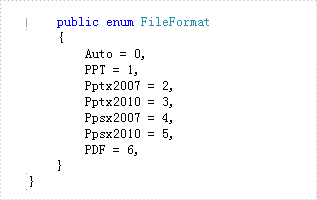
There are many other elements that this
library supports:
- Insert all kinds of shapes (such as triangle,
rectangle, BackOrPreviousButton );
- Insert audio, video;
- Add table, chart, hyperlinks;
- Convert to other file format, such as
PDF and Image;
- Animation.
The free version and limits:
The free version is totally free and is limited to 10
presentation slides. If your document is exceeding this limitation, you need to
use the commercial version of Spire.presentation.
Conclusion
Overall,
I was impressed by the power and ease provided by this product. You are welcome
to test the demo code. And I hope this article can help.
Reference
You can download from here.
http://www.e-iceblue.com/Download/download-presentation-for-net-now.html